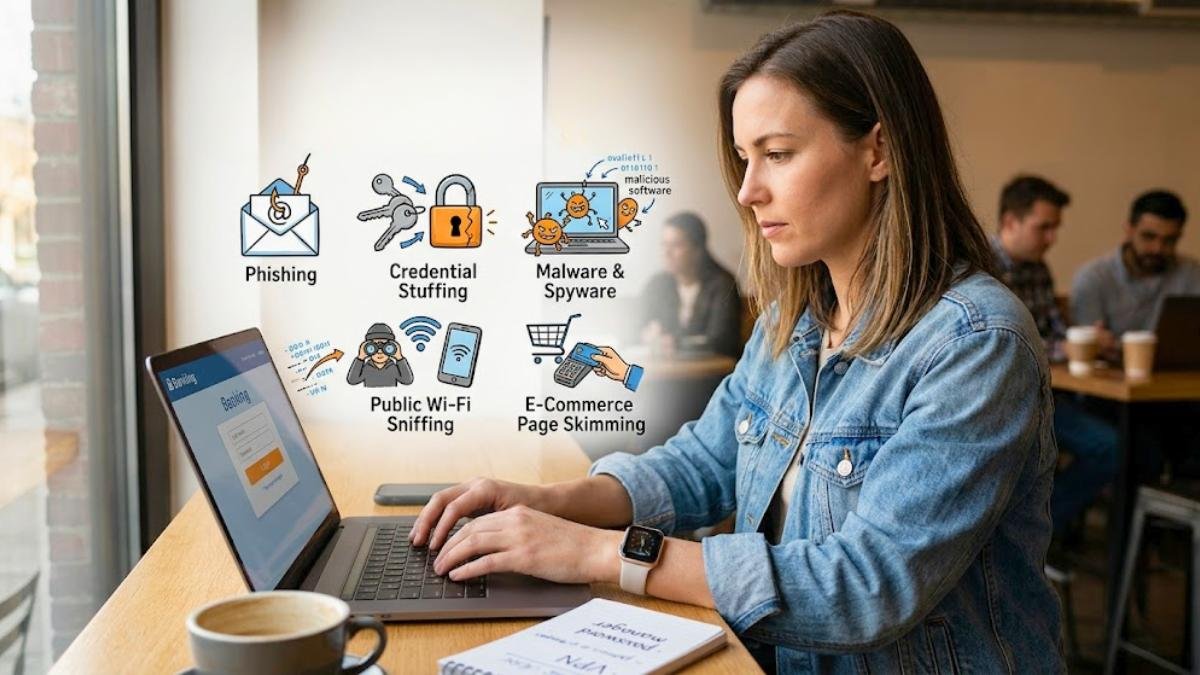
Learning precisely how hackers steal personal information is a great first step toward keeping your digital identity safe. Most of us log into banking apps, shop online, and connect to shared networks every day without a second thought. However, these daily habits are exactly what scammers target. When a security gap is exposed, sensitive data can end up in the wrong hands and be used for financial fraud.
Fortunately, protecting your data doesn’t require complex technical skills. By making a few simple adjustments to your digital routine, you can stop threats before they cause damage. This guide breaks down the five most common ways data is stolen, how scammers exploit simple mistakes, and how to protect your personal information.
Table of Contents
Inside Look: Common Ways Data Is Stolen Online
Scammers use a mix of digital tools and psychological tricks to access private data. They rarely rely on complex system hacks. Instead, they look for overlooked details in daily routines or unpatched device software.
1. Phishing Scams
- The Method: Attackers send deceptive emails or text messages designed to mimic trusted brands like major banks, delivery companies, or utilities.
- The Scam: These messages usually claim there is an urgent billing issue and provide a direct link to fix it. This link leads to a clone website that records your username and password the moment you type them.
- Why it matters: This method succeeds by tricking people rather than cracking software. Verifying unexpected links before clicking is an essential habit for account safety.
2. Credential Stuffing
- The Method: Cybercriminals get hold of massive lists of usernames and passwords leaked from past corporate data breaches.
- The Scam: Using automated software, they test these leaked login combinations across hundreds of other websites, such as retail stores and financial portals.
- Why it matters: Password reuse is incredibly common. If a minor website you rarely use suffers a data leak, scammers can use that leaked password to break into your higher-value profiles.
3. Malware and Spyware
- The Method: Users accidentally download hidden tracking programs by opening unsafe attachments or clicking fake download buttons online.
- The Scam: Once installed, tools like keyloggers run quietly in the background to record your keystrokes and capture passwords saved in your browser.
- Why it matters: Because these programs run silently without causing device lag, attackers can gather sensitive details like Social Security Numbers over time.
4. Public Wi-Fi Sniffing
- The Method: Scammers set up open, free public hotspots in busy locations like airports or coffee shops, often naming the network after the venue to look authentic.
- The Scam: When you connect to an unencrypted network, your data traffic becomes visible. Nearby attackers can use basic software to intercept your passwords and active login cookies.
- Why it matters: Logging into bank accounts or entering passwords on an open connection allows local scanners to view your active data packages.
5. E-Commerce Page Skimming
- The Method: Attackers inject a hidden script into the checkout code of independent online retail stores.
- The Scam: The script acts as a digital card reader. When you buy an item, your card number, expiration date, and CVV are copied and sent to the attacker.
- Why it matters: The transaction completes normally without any error messages, so you may not notice a leak until unfamiliar charges hit your statement.
The Strategic Goals of Online Data Fraud
Understanding what happens after a leak helps you decide where to focus your personal security efforts.
How Stolen Data Is Exploited
- Quiet Testing: When an attacker breaches an account, they usually monitor it quietly first. They often run tiny test transactions to confirm the card or profile is still active.
- Locking the Owner Out: Once a scammer decides to exploit an account, they update the contact settings. By changing the recovery email and phone number, they block you from receiving fraud alerts.
- Final Misuse: With total control established, attackers drain rewards points, make large purchases, or sell the confirmed login details to other fraud networks.
Data Theft Techniques and Simple Solutions
| Method | Main Target | Simple Solution |
| Phishing | Account passwords and personal details. | Verify the sender directly and avoid clicking unexpected links. |
| Credential Stuffing | Accounts that reuse old passwords. | Use a trusted password manager to create unique passwords for every site. |
| Wi-Fi Sniffing | Active logins and browsing data. | Use a Virtual Private Network (VPN) and avoid public hotspots for banking. |
| Page Skimming | Debit and credit card numbers. | Use tokenized virtual cards or digital wallets for online shopping. |
What to Do If You Suspect Your Data Was Stolen
If you notice warning signs like unexpected password reset emails or unfamiliar micro-charges, quick action can keep a small issue from growing.
- Sign Out of All Devices: Open your primary email and bank privacy settings, then select “log out of all active sessions” to disconnect unauthorized users.
- Update Your Passwords: Create long, unique passphrases for your main accounts, focusing on your recovery email first.
- Freeze Your Credit Files: Contact the three major bureaus (Equifax, Experian, and TransUnion) online to place a free security freeze on your credit report. This stops anyone from opening new accounts in your name.
- Run a Security Scan: Use a reputable anti-malware tool to check your computer or smartphone for hidden tracking software.
Frequently Asked Questions (FAQ)
Can hackers steal your information if your computer is turned off?
No, a powered-down device cannot send data or be targets for live hacking. However, scammers can still access your information by targeting the cloud storage networks, email portals, or company servers where your data is saved online.
Why do scammers target old or unused online accounts?
Attackers target old profiles because you are unlikely to check them for fraud alerts. If you reused the password from that old account on a current profile, they can use it to log into your active accounts.
Is app-based authentication safer than text-message codes?
Yes. Text-message codes are linked to a phone number, which can be intercepted through cellular scams like SIM swapping. App-based authenticators generate unique codes directly on your local device, making them much harder to access remotely.
Does an encrypted website connection (HTTPS) prevent data theft?
An HTTPS connection encrypts data sent between your browser and a website, protecting it from basic network sniffing. However, it cannot stop theft if the website’s own servers are compromised or if your device has hidden malware recording your screen.
Trust Disclaimer
Security settings and reporting rules can vary depending on your location, your service providers, and localized laws. Reviewing common data theft methods helps increase awareness but cannot prevent third-party corporate data breaches. For official safety steps and guidelines, consult trusted organizations like the Federal Trade Commission (FTC) or the Cybersecurity and Infrastructure Security Agency (CISA).
Conclusion
When you look at how hackers steal personal information, it becomes obvious that simple, everyday habits are what keep you safe. Scammers are lazy—they look for easy opportunities like recycled passwords, unencrypted public Wi-Fi, and trick links to get what they want.
You don’t need to be a tech genius to close these entry points. Doing a few straightforward things like getting a password manager, switching to app-based authentication, and freezing your credit files will take those easy targets off the table and give you permanent peace of mind.